Add Facial Hair to a Picture with AI Tools
Curious what you'd look like with a beard? You can now add facial hair to a picture using AI to get startlingly realistic results in just a few seconds. This is a massive leap from the cheesy, stick-on filters of the past, giving you a genuine preview you can use for just about anything.
The Modern Way to Test-Drive Facial Hair
Have you ever thought about a new look but balked at the idea of spending weeks or months growing it out? You’re definitely not alone. Many of us want to see if a beard adds a more mature, distinguished vibe to a headshot, while others are just curious if a different style might get more attention on a dating profile.
For years, the only way to scratch that itch was with clumsy photo editing or apps that produced laughably fake results.
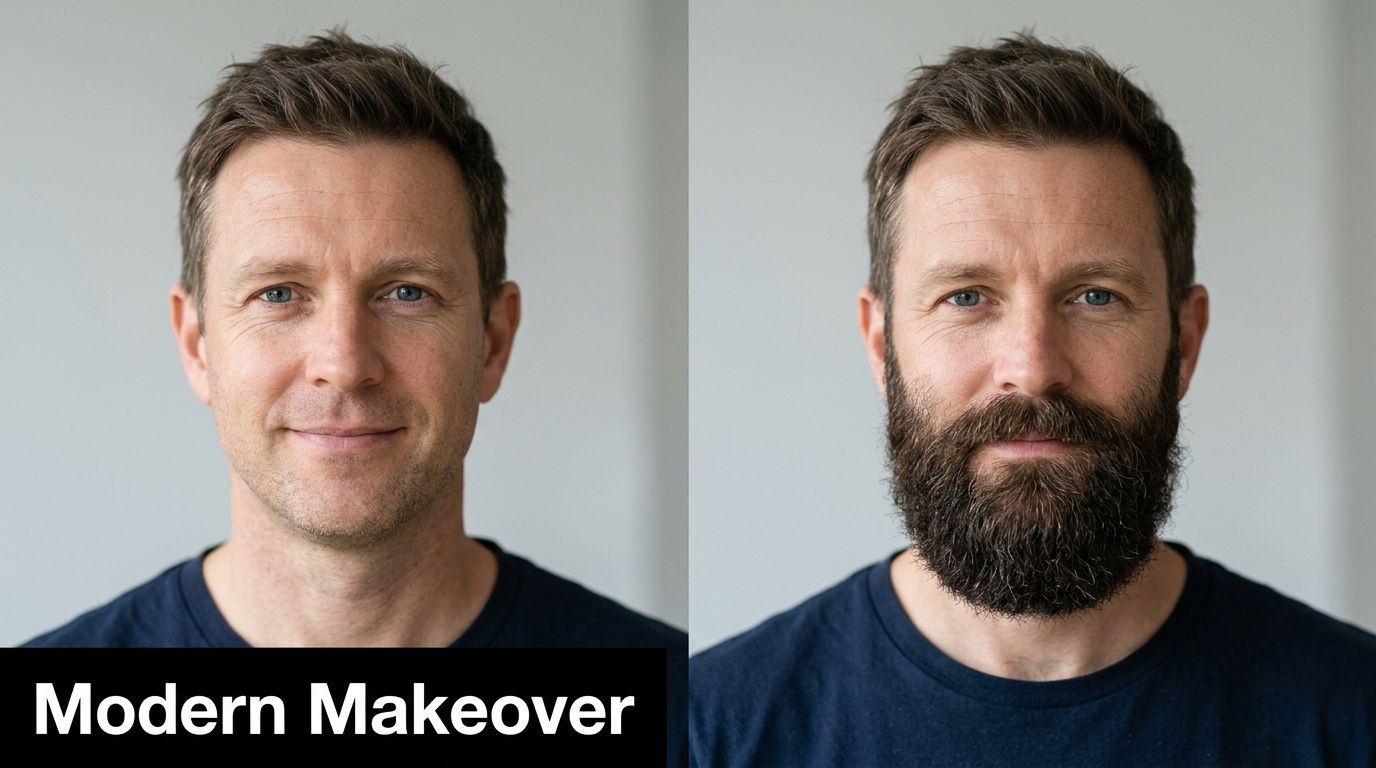
But now, AI technology has completely changed the game. Platforms like FlowHeadshots can generate professional-quality photos that look completely natural, and you don't need a single editing skill to do it.
Why People Experiment with Digital Beards
The reasons for wanting to digitally try on a beard are more practical than you might think. It's moved beyond simple entertainment into a smart tool for personal and professional branding.
- Upgrading Your Professional Image: For many, a well-groomed beard can project authority and experience. It's a fantastic way to refresh a LinkedIn profile or company headshot to better align with the image you want to convey.
- Satisfying Your Curiosity: The simple "what if" is a huge driver. AI lets you try everything from light stubble to a full lumberjack beard with zero real-world commitment.
- Exploring Your Style: Think of it like trying on clothes. Experimenting with different facial hair styles helps you see what actually complements your face shape. Figuring out which hairstyle is right for you can be a massive confidence booster.
The real magic of today’s AI is its ability to create seamless, believable transformations. This isn't just about pasting hair onto your face; it’s about rendering a whole new look with accurate lighting, texture, and shadows that perfectly match your original photo.
This guide will walk you through how to add facial hair to a picture in a way that looks great, moving past novelty apps and into the world of high-quality, realistic image creation. We'll dive into how these tools work and what you can do to get a final result that’s virtually indistinguishable from the real thing.
Choosing the Right AI Tool for the Job
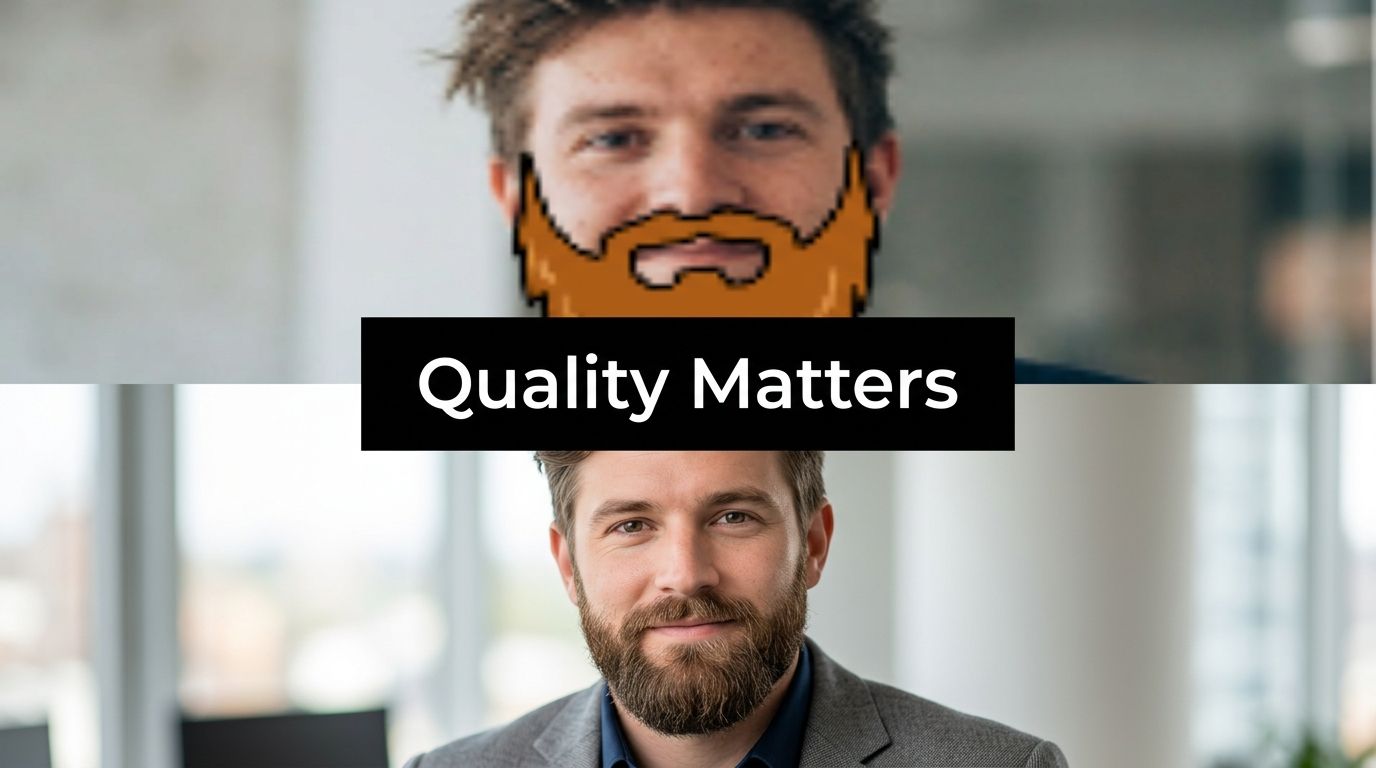
Let's be honest—there’s a world of difference between a goofy beard filter and a tool that creates truly believable facial hair. While the app store is flooded with novelty apps for a quick laugh, they just don't cut it when you need a professional-grade result.
Most of those basic apps simply slap a semi-transparent image over your face. The results often look flat and fake, more like a sticker than actual hair. When your goal is to genuinely add facial hair to a picture for something important like a LinkedIn profile or to test a new style, you need technology built for realism.
Advanced AI platforms are different. They don't just paste on a beard; they analyze your photo's unique lighting, shadows, and facial contours to render hair that looks like it actually grew there. That's the secret to an image you'd be proud to use professionally.
Key Features to Look For
So, how do you spot a tool that delivers professional results? Look past the flashy "add beard" button and focus on these critical features.
- Photorealism and Texture: Does the hair look real? Check for authentic texture, subtle color variations, and coarseness that actually matches your own hair.
- Style Variety: A good tool gives you options. You should be able to choose from dozens of specific styles, from light 5 o'clock shadow to a full, impeccably groomed beard.
- Consistency Across Images: This is a big one. If you're generating a set of headshots, the facial hair must look identical in every single photo. Consistency is non-negotiable for a professional brand.
A professional AI tool should function like a virtual portrait studio, not a toy. The goal is to produce images that are indistinguishable from a real photoshoot, maintaining high fidelity and quality.
To help you decide, this table breaks down the key differences between the types of tools available.
AI Facial Hair Tool Feature Comparison
| Feature | Basic Mobile Apps | Advanced Photo Editors | AI Platforms (e.g., FlowHeadshots) |
|---|---|---|---|
| Realism | Low (sticker-like) | High (requires skill) | Very High (automated) |
| Ease of Use | Very Easy | Difficult (steep learning curve) | Easy (prompt-based) |
| Style Options | Limited presets | Unlimited (manual creation) | Extensive library |
| Consistency | Not possible | Difficult to replicate | High (by design) |
| Time Investment | Seconds | Hours | Minutes |
As you can see, a dedicated platform like FlowHeadshots is engineered specifically for creating a portfolio of consistent, high-resolution images. In contrast, most mobile apps are built for single, disposable edits.
If you're curious to learn more about what separates the best tools from the rest, our guide on the best AI portrait generator is a great next step. Ultimately, the right tool comes down to your goal: a quick share with friends or a lasting professional impression.
How to Add a Beard Using AI
Forget about fiddling with complicated photo editors or slapping on fake-looking sticker beards. When you use a good AI tool to add facial hair to a picture, the process is surprisingly creative and all about finding your style—no technical skills needed.
Everything starts with the photo you choose.
Think of it like a painter picking a canvas. The AI needs a clean, clear base to do its best work. That means you should grab a few high-resolution photos where your face is front and center and lit well. Try to avoid pictures with dramatic shadows, sharp side angles, or any blurriness, as these can trip up the AI and give you a less-than-believable result.
A great photo in, a great photo out. It's that simple. A sharp, evenly lit picture gives the AI all the data it needs to map a new beard style with uncanny realism.
Once you’ve uploaded your best shots, the real fun begins: exploring all the different styles.
Finding the Right Beard for Your Face
Most AI platforms will present you with a whole library of options, from a hint of stubble to a full, thick beard. Don't just click on the first one you see. Take a moment to think about what actually works with your face shape. For example, a rounder face can get a lot of definition from a fuller beard, while a square jawline often looks great with a more trimmed, sculpted goatee.
Here are a few quick pointers I've picked up:
- Got a Defined Jawline? Try out a short boxed beard or a classic goatee. These styles follow your natural lines instead of hiding them.
- Want to Add Some Fullness? A full beard or even a bold Garibaldi style can give your face more structure and a totally new presence.
- Just Looking for a Subtle Tweak? You can't go wrong with light stubble or a classic 5 o’clock shadow for that rugged-but-clean look.
The transformation is often pretty striking. I’ve seen clean-shaven guys instantly generate a series of professional headshots with a sophisticated, salt-and-pepper beard. Others who are just curious about a different vibe can see themselves with a perfectly trimmed Van Dyke in seconds.
The best part is that the AI doesn't just paste hair onto your face. It blends it in, matching the color, texture, and even the lighting of your original photo for a seamless look. It's the perfect way to test-drive a new persona before you even think about putting down the razor.
Achieving Photorealism with Your New Look
Slapping a beard onto a photo is easy. Making it look like it actually belongs there? That's the real challenge. True photorealism is all about the little details that convince your brain you're looking at the real thing, not a digital addition.
The best AI tools today act like a digital barber. They don't just paste on some generic facial hair; they carefully analyze your photo to match the color, texture, and even the coarseness of the generated beard to your existing hair. This is what separates a convincing new look from something that just looks like a cheap sticker.
Mastering Light and Shadow
The single most important factor for a believable result is how the new beard plays with light. A basic app will just give you a flat overlay, but a sophisticated AI tool actually calculates the light source from your original picture.
This means it knows exactly where to add subtle shadows under your jawline and around the neck, which gives the beard weight and makes it feel grounded in the photo.
The difference between a passable edit and a professional headshot lies in the shadows. When the AI correctly mimics how light falls across your face, the added facial hair feels three-dimensional and completely natural.
A high-quality tool renders a beard with genuine depth. It considers how light would glint off individual hairs, creating the highlights and lowlights that sell the effect. If you're looking to get that final image just right, an online professional photo editor can offer more advanced tools.
The diagram below perfectly illustrates how the quality of your source photo directly affects the AI's final output.
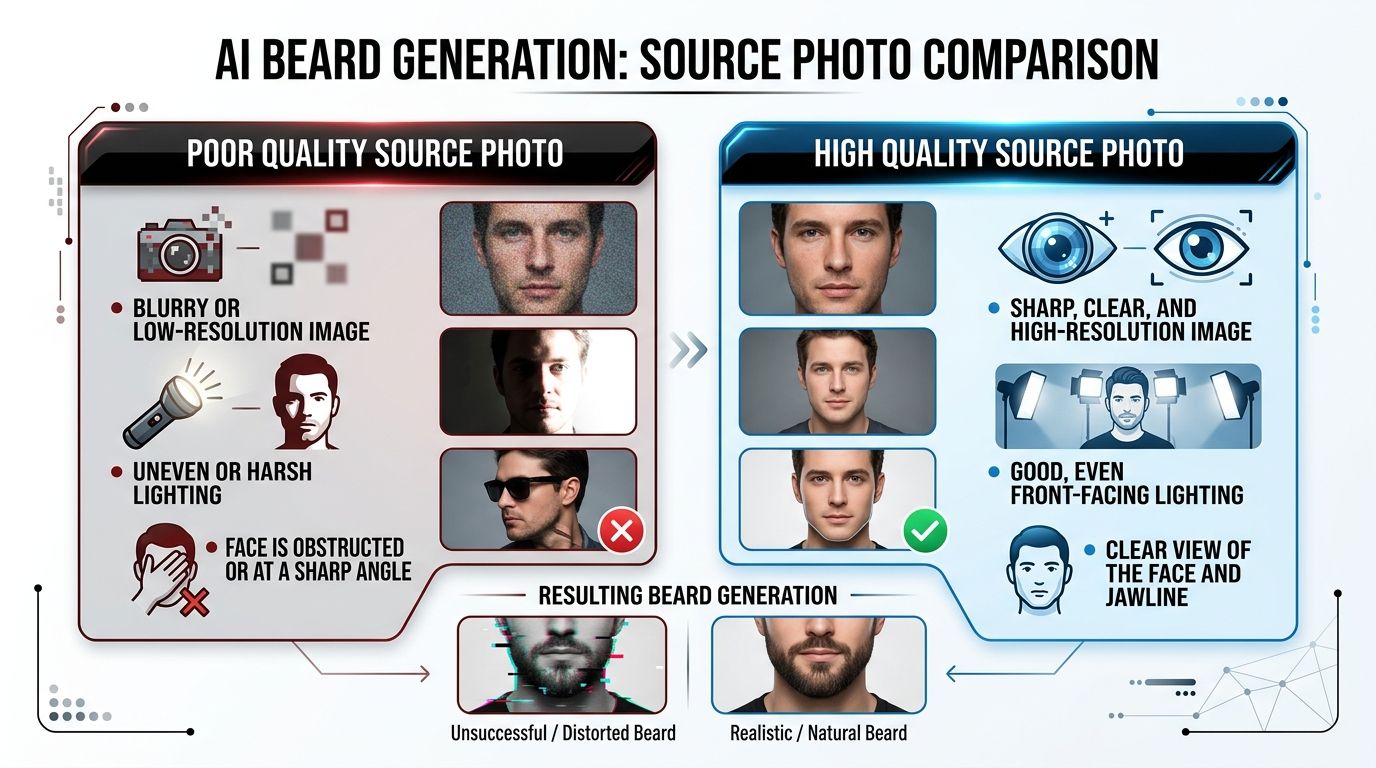
As you can see, giving the AI a clear, well-lit image is like giving a painter a clean canvas. It sets the stage for a sharp, natural-looking result that truly works.
Common Mistakes and How to Avoid Them
Even the most advanced AI tools can't work miracles, and a few simple mistakes can make your edited photos look fake. The biggest issue I see is starting with a low-quality photo. If your original image is blurry or poorly lit, the AI has nothing good to work with, and you'll end up with facial hair that looks fuzzy or pasted on.
Another classic trap is picking a beard style that just doesn't suit your face. It's easy to get carried away and choose something that looks cool in a vacuum, but a thick, wide beard on a round face can look out of place, just as a thin goatee might disappear on a strong jawline. It’s about complementing your features, not just adding hair.
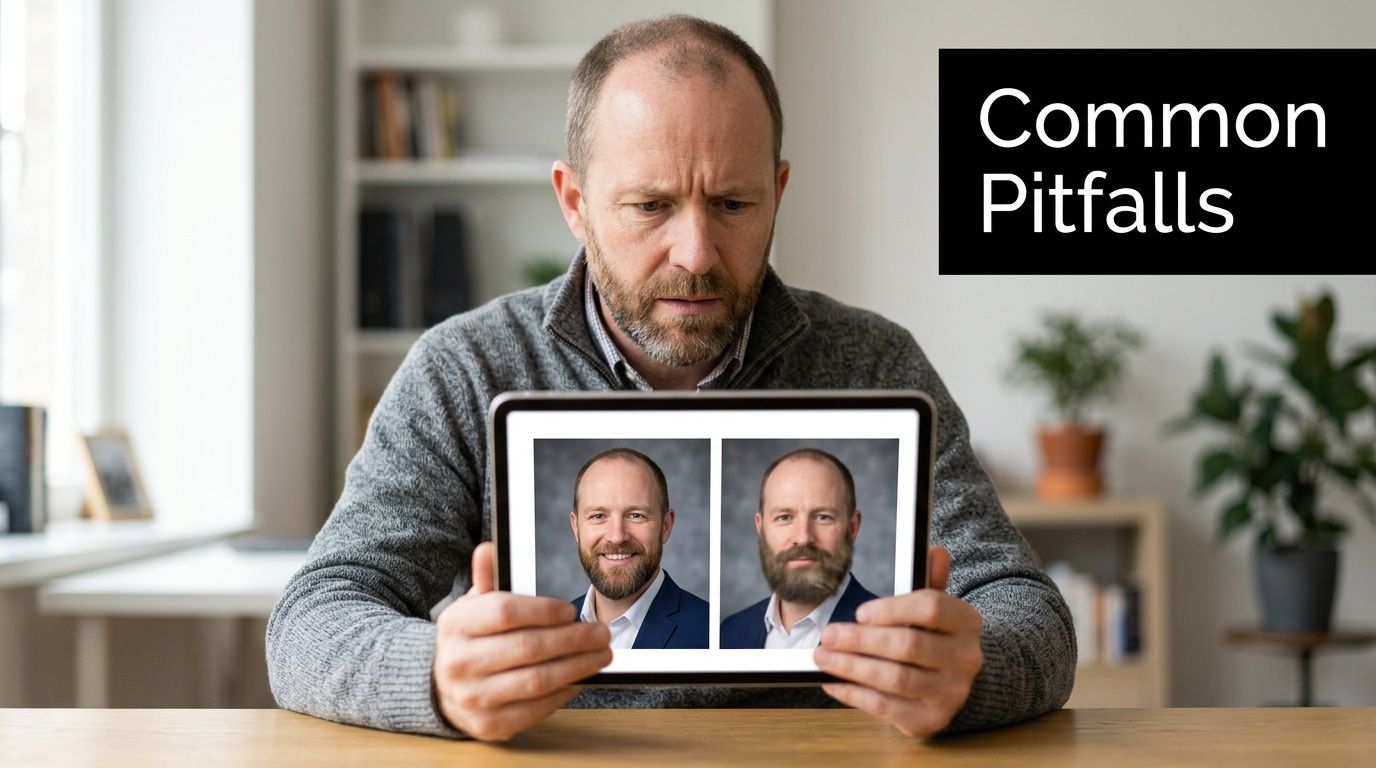
Finally, inconsistency will immediately give the game away. If you're creating a batch of professional headshots and the beard is slightly longer or a different shape in each one, it's a dead giveaway that they're AI-generated. This totally undermines the professional, authentic look you're trying to achieve.
Simple Fixes for Professional Results
The good news is that these problems are easy to avoid with a little bit of prep. A few smart choices upfront will make all the difference in getting a believable result.
- Start with a High-Resolution Photo: This is non-negotiable. Always use a sharp, clear image with good, even lighting. Think of it as giving the AI a clean canvas to paint on.
- Experiment with Styles: Don't just go with your first idea. Try out a few different beard styles and lengths to see what actually enhances your facial structure and jawline. You might be surprised by what works best.
- Lock in Your Look: Most good tools have a feature for consistency. When you find a look you love, make sure you use an option that keeps that exact same facial hair for every photo in your set.
The goal is to make the AI’s work invisible. By avoiding these common errors, you can create a set of photos where the new facial hair looks so natural that no one would ever suspect it wasn’t real.
Common Questions About AI Beard Generators
If you're new to using AI to generate facial hair, you probably have a few questions. It's smart to be curious, especially when you're aiming for a look that's both professional and authentic. Let's tackle some of the most common concerns.
How Realistic Can an AI Beard Actually Look?
We've all seen those cheesy, sticker-like filters on social media, so a little skepticism is healthy. But today's professional AI tools are in a completely different league. The best generators don't just paste a beard onto your face; they analyze your photo’s unique lighting, skin tone, and even your existing hair color.
The technology then renders shadows and textures to add facial hair to a picture so convincingly that it’s often impossible to tell it’s not real. For things like professional headshots, the realism is spot on.
Will My Photos Be Kept Private?
That's a crucial question. Any trustworthy AI platform puts user privacy first. As a rule, your photos should only be used to generate the new images you've requested—nothing more. They shouldn't be shared or repurposed for anything else.
Before you upload anything, always check for a clear privacy policy. The best services let you permanently delete your data and confirm that you retain full ownership of both your original and newly generated photos.
Can I Get a Consistent Look Across Multiple Photos?
Yes, and this is really what separates the high-end tools from the simple one-off apps. If you need a new set of headshots for your LinkedIn profile or company website, you can't have a different beard in every shot.
Advanced platforms are designed for this exact scenario. You can apply the same facial hair style across an entire batch of photos, ensuring your professional brand looks cohesive and polished. It gives you the consistency you'd expect from a single photoshoot.
Ready to experiment with a new style? With FlowHeadshots, you can generate studio-quality headshots with perfectly realistic facial hair in just a few minutes. Try FlowHeadshots today and find the look that works for you.
Enjoyed this article? Share it with your network.
Ready to get your AI headshots?
Professional photos in 60 seconds. No photoshoot required.
Get Started Free