The Best LinkedIn Headshot Generator of 2026
Ever wished you could get a professional, studio-quality portrait without the hassle and cost of a real photoshoot? That's exactly what a LinkedIn headshot generator does. It’s a tool that uses artificial intelligence to transform your everyday photos into polished headshots, ready for your professional profile. All you have to do is upload a few good selfies, and the AI handles the rest, giving you hundreds of options in minutes.
Your LinkedIn Picture Is Your First Handshake
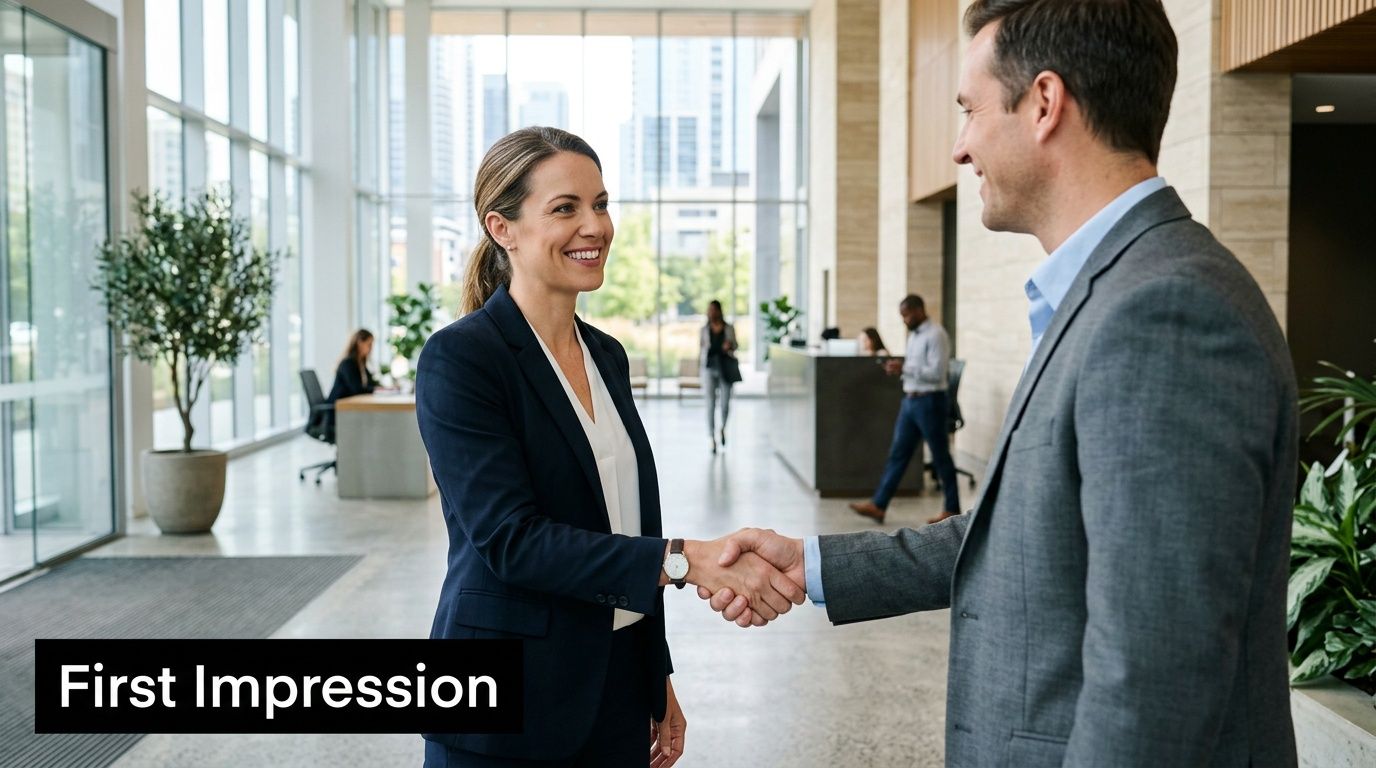
Long before anyone gets to your impressive job title or reads through your skills, they see your profile picture. Think of it as your digital handshake—it sets the tone for every connection and conversation that follows. It's the very first impression a recruiter, a potential client, or your next boss will have of you.
A cropped vacation photo or a blurry picture from a friend's wedding doesn't just look out of place; it sends the wrong message. It can unintentionally suggest a lack of attention to detail. On the other hand, a sharp, well-lit headshot immediately signals competence, confidence, and that you take your career seriously.
The High Stakes of a First Impression
The power of a profile picture isn't just a gut feeling; the numbers back it up. Shockingly, studies show that 70% of recruiters have admitted to rejecting a candidate simply based on their LinkedIn photo. In contrast, having a professional headshot can increase how competent you appear by a massive 75.93%. This makes it crystal clear: your picture is a critical piece of your professional toolkit.
Your headshot isn’t just a picture; it’s a strategic asset that works for you 24/7, building trust and opening doors before you ever speak a word.
Solving the Old Problems with New Tech
Let's be honest, the traditional route to getting a great headshot was always a pain. You had to research photographers, sync up impossible schedules, travel to a studio, and then pay hundreds of dollars for just a few edited photos.
AI headshot generators completely sidestep all of that. They offer a modern solution that is:
- Fast: Get hundreds of high-quality options in minutes, not weeks.
- Affordable: Pay a fraction of what a traditional photographer would charge.
- Convenient: Create your perfect headshot right from your computer, whenever it works for you.
This technology gives you full control over your professional image, helping you make a powerful first impression that truly reflects your brand. To get a better idea of what works, check out these powerful LinkedIn profile picture examples.
How an AI Headshot Generator Actually Works
Ever wonder what’s happening behind the scenes when a LinkedIn headshot generator creates your new photos? It’s not magic, but it is a fascinating process that combines your photos with some seriously smart technology.
Think of it like commissioning a portrait from an incredibly fast and talented digital artist. But instead of sitting for hours, you just provide the inspiration—a collection of your existing photos. These pictures are the raw material the AI uses to learn everything it needs to know about you.
First, the AI Studies Your Face
Once you’ve uploaded your photos, the AI gets to work. Its first job is to become an expert on you. It scans every picture, not just to see your face, but to understand its underlying structure.
The AI is essentially building a detailed 3D model of your head from the 2D images you provided. It meticulously maps out key features, learning the specific details that make you look like you.
- Facial Geometry: It measures the precise distances between your eyes, the shape of your nose, and the line of your jaw.
- Unique Features: It learns to recognize things like a specific mole, the way your eyebrows arch, or your dimples when you smile.
- Expressions: By analyzing various photos, it understands your natural smile versus a more neutral, professional look.
This isn’t just about copying and pasting. The AI builds a complex digital blueprint of your likeness, which becomes the foundation for every new image it creates.
Then, the Magic Happens: Creating Your Headshots
After the AI has a solid understanding of your features, the fun begins. This is where the "generator" really comes to life. It takes that digital model of you and places it into brand-new, professionally designed scenarios.
The AI doesn't just cut and paste your face onto a stock photo. It re-renders your entire likeness from scratch, complete with realistic lighting, shadows, and textures that match the new background and outfit.
It combines its detailed model of you with a vast knowledge of professional photography—things like studio lighting, corporate attire, and flattering poses. From there, it generates hundreds of unique headshots, giving you an incredible variety of options. You might see yourself in a sharp blazer against an office backdrop or in a casual button-down against a clean studio wall. Each photo is a completely new creation.
If you want to dive even deeper into the tech, we have a full explanation of how AI headshots work on our FAQ page.
Why AI Is Quickly Becoming the Go-To for Professional Portraits
Let's be honest: the old way of getting a professional headshot was a pain. It meant finding a photographer, booking a studio, and carving out half a day from your schedule. But that's all changing.
A LinkedIn headshot generator completely flips the script. Instead of the traditional hassle, this technology delivers on three things that matter most: speed, cost, and creative freedom. It’s no longer a niche tool; it’s rapidly becoming the new standard.
Gone are the days of waiting weeks to align your schedule with a photographer, only to wait even longer for the edited photos. Now, you can have hundreds of polished, professional options ready in just a few minutes. This is a massive advantage for anyone on a tight deadline, whether you're a job seeker needing a new look fast or a team leader trying to get consistent headshots for your entire department.
A Smarter Investment in Your Professional Brand
The price difference is staggering. A traditional photoshoot can easily set you back anywhere from $200 to over $1,000. That's a serious expense, especially if you're just starting out or running a small business.
AI-powered platforms, on the other hand, deliver studio-quality results for a tiny fraction of that cost. This makes a polished, confident image accessible to everyone, from new graduates to seasoned executives, without the hefty price tag.
By cutting out the costs of a studio, equipment, and a photographer's time, AI makes a top-tier professional image attainable for anyone. It’s not just about being cheaper—it’s about being smarter and more efficient.
This shift is happening for a reason. The demand is primarily fueled by the world's largest professional network. In fact, LinkedIn is the biggest driver for the headshot market, with a recent study finding that 47% of professionals needed a new headshot specifically for their profile.
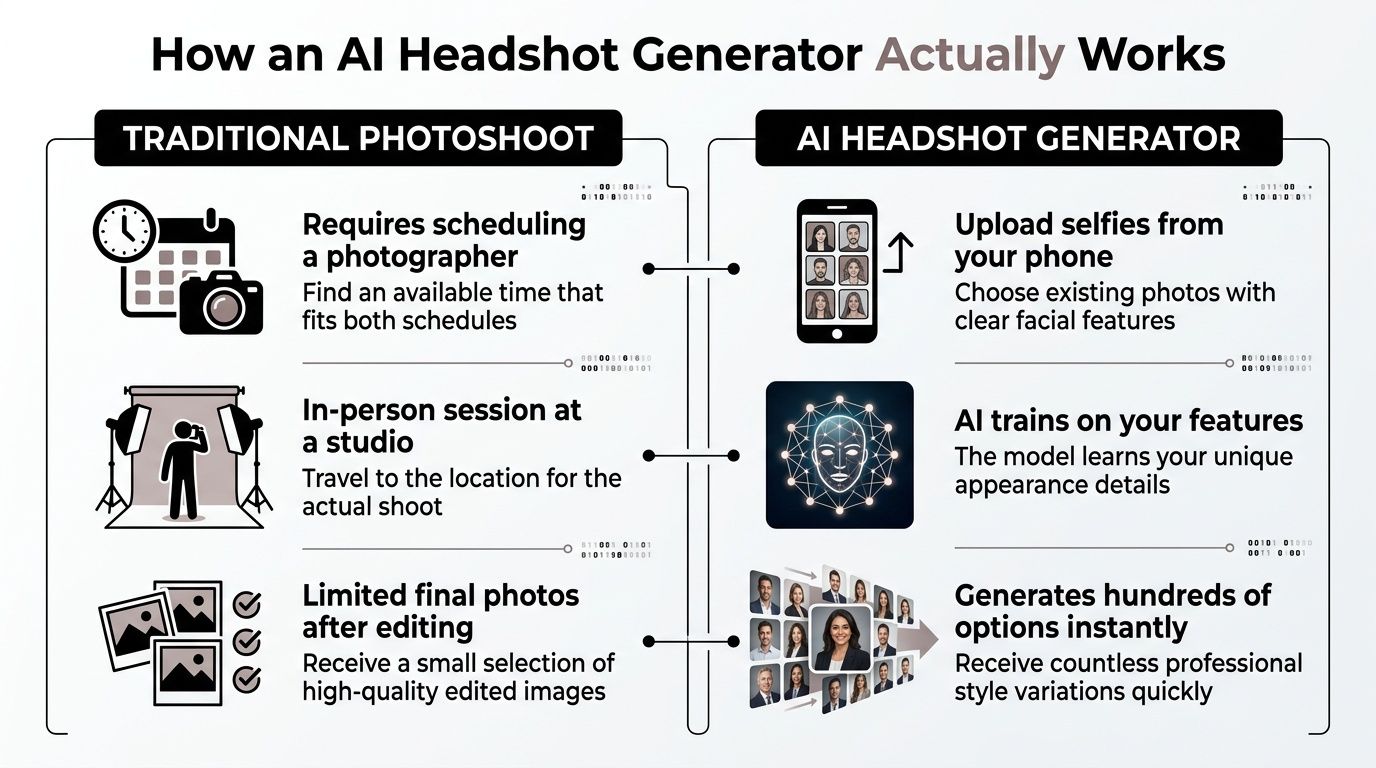
This table breaks down the core differences between the old and new methods.
Traditional Photoshoot vs. AI Headshot Generator
| Factor | Traditional Photoshoot | AI Headshot Generator |
|---|---|---|
| Time | Hours to days (scheduling, shoot, edits) | Minutes to a few hours (upload, generation, download) |
| Cost | Typically $200 – $1,000+ | Usually $20 – $50 for a large batch |
| Variety | Limited (1-2 outfits, one location) | Extensive (hundreds of styles, outfits, and backgrounds) |
| Convenience | Requires travel and in-person coordination | Done from anywhere, anytime |
| Revisions | Often involves extra fees and delays | Instantaneous; just generate a new batch |
The comparison makes it clear: AI offers a faster, more flexible, and far more affordable path to a great headshot.
Unlocking Unprecedented Variety and Control
Beyond the practical benefits, using a LinkedIn headshot generator puts you in the driver's seat creatively. A standard photoshoot might give you a handful of good shots in one or two outfits. An AI generator can produce hundreds of distinct variations from a single set of casual photos.
This allows you to experiment with different styles to see what best fits your industry and personal brand.
- For a corporate look: Generate options in classic suits and blazers against clean, professional office backdrops.
- For a creative field: Try more casual outfits in modern, artistic settings.
- For an approachable feel: Opt for shots with natural outdoor lighting and environmental backgrounds.
Having this much variety ensures you can find the perfect image to support your career goals. For more tips on nailing the right aesthetic, take a look at our guide on how to get professional headshots.
Choosing the Best LinkedIn Headshot Generator
It seems like a new AI headshot tool pops up every week, doesn't it? With so many options out there, all promising picture-perfect results, it's easy to feel overwhelmed. But here’s the thing: not every LinkedIn headshot generator is created equal. Making the right choice is critical, because a low-quality generator can leave you with photos that scream "artificial," completely undermining your professional brand.
Think of it less as a purchase and more as an investment in your digital first impression. This market is exploding for a reason. In fact, one 2026 estimate projects the global AI portrait industry will be worth over $450 million, a huge jump from just $180 million back in 2022. That rapid growth means technology is improving, but it also means you have to be selective. You can read more about these fascinating AI photography market statistics if you're curious.
Evaluate Image Quality and Realism
This is, without a doubt, the most important thing to get right. Your goal is a headshot so realistic that no one would ever guess it wasn't taken by a professional photographer. When you’re browsing a generator’s example gallery, zoom in and pay attention to the little details that make or break the illusion.
- Natural Skin Texture: Great AI keeps your skin looking like skin, complete with pores and subtle lines. Steer clear of any tool that gives you that "waxy," overly smooth, plastic-doll look.
- Realistic Lighting: The best generators know how to mimic a professional studio setup, using light to create depth with believable shadows and highlights. If the lighting looks flat and uniform, that's a red flag for a less sophisticated model.
- Accurate Features: Keep a close eye on the details—especially eyes, teeth, and hands. These are the areas where subpar AI tends to glitch, and it’s an instant giveaway that the image was machine-generated.
Assess the Variety of Styles Offered
Your headshot needs to fit you, your industry, and your personal brand. A corporate lawyer needs a very different vibe than a freelance graphic designer. That's why a top-tier LinkedIn headshot generator should give you a wide range of styles to choose from.
Look for a service that provides plenty of options for:
- Attire: Everything from formal business suits to smart-casual shirts.
- Backgrounds: A good mix of clean studio backdrops, modern office environments, and even some natural outdoor settings.
- Poses: A selection of poses that look confident, approachable, and professional—not stiff or awkward.
A robust style library gives you the creative control to find a headshot that truly represents you and your career goals, ensuring you make the right first impression.
Prioritize Ease of Use and Privacy
Finally, the experience of using the tool should be simple and secure. A clunky upload process or confusing interface can turn a quick task into a real headache. You want a clean, step-by-step process that guides you effortlessly from uploading your selfies to downloading your finished headshots.
Even more importantly, read the privacy policy. A trustworthy company will be crystal clear that you retain full ownership of your photos and that they handle your data securely. The best platforms, like FlowHeadshots, go a step further and give you the option to permanently delete all your images from their servers once you have your results. That’s how you get great photos with complete peace of mind.
Getting Studio-Quality Results from Your AI Generator
Think of a LinkedIn headshot generator as a brilliant portrait artist. To create a masterpiece, that artist needs to truly understand their subject. The quality of the headshots you get back is a direct reflection of the quality and variety of photos you feed the AI.
Your goal is simple: give the AI a complete, 360-degree understanding of your face. The more high-quality data it has, the more accurately it can generate a photorealistic portrait that actually looks like you. You're essentially helping it build a 3D model of your head using a handful of 2D images.
Curating Your Input Photos for Success
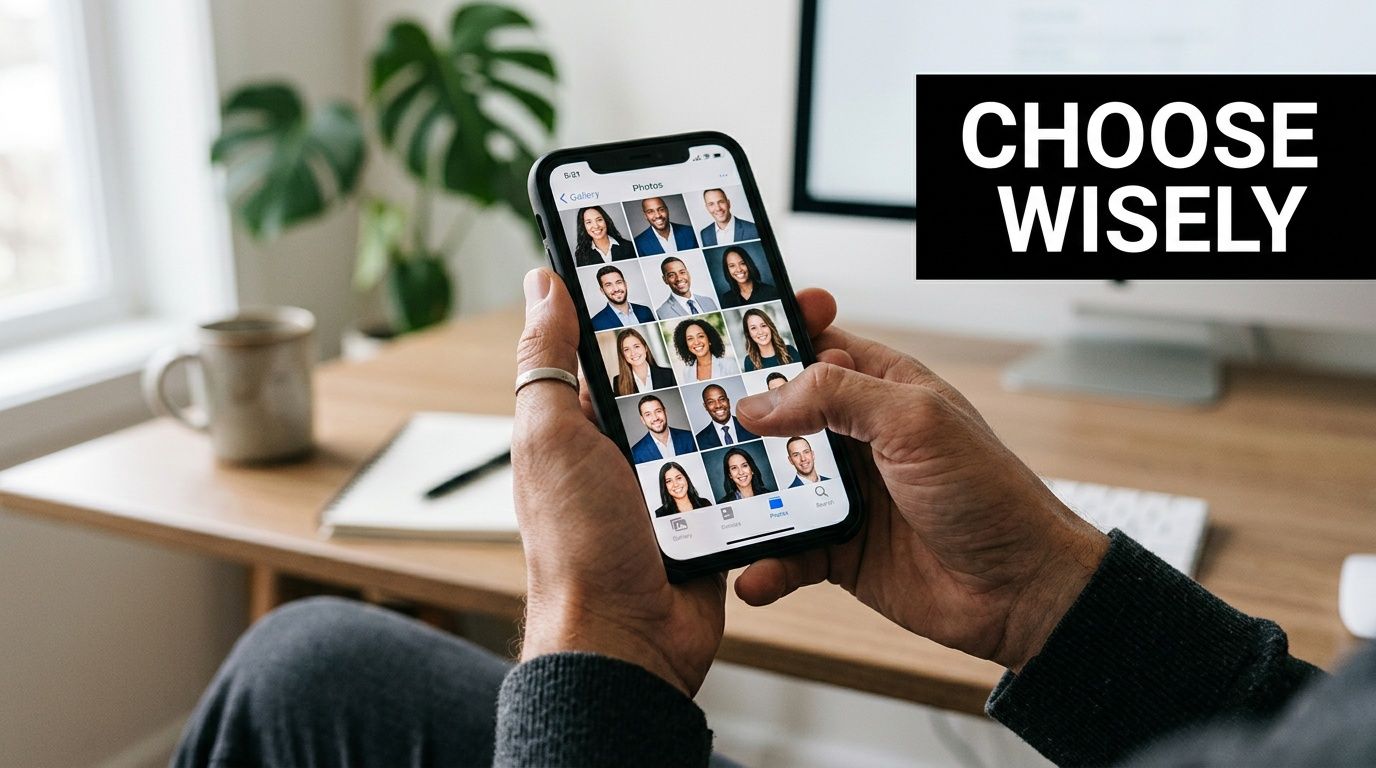
This is, without a doubt, the most critical step. You need to choose a diverse set of photos that show your face in different scenarios. This variety is what teaches the AI to separate your permanent features from temporary things like shadows or specific camera angles.
A good sweet spot is somewhere between 10 to 20 photos. This gives the AI plenty of information to learn from without overwhelming the system.
Here’s a quick checklist for picking winning source photos:
- Clear and Unobstructed: The AI needs a clean shot of your face, looking more or less toward the camera.
- A Mix of Angles: Include photos where you’re looking straight ahead, but also some where you're turned slightly to the left and right.
- Different Expressions: Don’t just use one type of smile. Upload a few with a big, genuine smile, some with a closed-mouth smile, and maybe a more neutral, serious expression.
- Varied Lighting: This is a big one. Use photos from different environments—some indoors with softer light, and others outside in natural daylight. This helps the AI understand the true contours of your face.
The better the AI understands you from every angle and in every light, the more lifelike and convincing your final headshots will be. It's the difference between a good result and a magazine-quality portrait.
What to Strictly Avoid When Uploading
What you leave out is just as important as what you put in. Some photos will actively confuse the AI, leading to weird, distorted, or just plain inaccurate results. It's far better to upload 10 great photos than 20 mediocre ones.
To get the best possible outcome, make sure you avoid uploading pictures with these problems:
- Group Photos: The AI can get confused trying to figure out which face is yours. Always crop the photo so it’s just you.
- Harsh Shadows or Lighting: Super bright highlights or deep, dark shadows can hide your features, preventing the AI from learning them correctly.
- Obstructions: This seems obvious, but avoid any photos where you're wearing sunglasses, a hat, or even have a hand partially covering your face.
- Low-Resolution or Blurry Images: The AI needs sharp details to work with. If an image looks fuzzy to you, it's basically useless for the generator.
By taking the time to carefully select your input photos, you’re not just a passive user—you're an active director. You’re giving the AI the exact visual information it needs to create a polished, professional, and authentic headshot you’ll be proud to use on your LinkedIn profile.
Common Questions About AI Headshot Generators
AI-generated headshots sound great in theory, but you probably have a few nagging questions. I get it. This tech is still pretty new for most of us, and it's smart to want all the facts before you start uploading your selfies.
Let's walk through some of the biggest questions professionals have when they're thinking about using a LinkedIn headshot generator. Here are the straightforward answers you need.
Are AI-Generated Headshots Professional Enough for LinkedIn?
Yes, but with a big caveat: you have to use a quality service. The top-tier generators have come a long way, and today they produce photorealistic images that are virtually indistinguishable from portraits taken in a professional studio.
These sophisticated AI models are trained on thousands of corporate portraits, so they know exactly what makes a headshot look professional. They don't just paste your face onto a stock photo; they understand and recreate the key elements:
- Authentic Lighting: The AI builds realistic lighting from scratch, adding the subtle highlights and shadows that give a photo depth and make you look your best.
- Professional Wardrobe: You can instantly see yourself in a variety of business-appropriate outfits, like sharp blazers or classic button-downs, without ever stepping into a fitting room.
- Polished Backgrounds: Choose from a library of backdrops, from classic studio grays to softly blurred office environments that add a touch of context.
When done right, the final images are more than ready for your LinkedIn profile, company website, or speaker bio.
Is It Safe to Upload My Photos to an AI Generator?
This is probably the most important question on your mind, and for good reason. The safety of your photos all comes down to the reputation and transparency of the platform you choose. A trustworthy service will make your privacy a top priority.
Before you upload anything, make sure the LinkedIn headshot generator you’re considering has a few non-negotiables in place:
- Data Encryption: Your photos should be protected with strong encryption during upload and download, keeping them secure from prying eyes.
- Clear Privacy Policy: Look for a policy that clearly states you own your photos. The company should promise not to use your images to train its AI models without your explicit permission.
- Easy Data Deletion: Once you have your headshots, you should be able to easily and permanently delete your original photos and the trained AI model from their servers.
Take a minute to read the privacy policy. That small bit of due diligence gives you peace of mind while the AI works its magic.
A reputable AI headshot generator will treat your photos with the same care and security as a professional photography studio. Your privacy should never be a trade-off for convenience.
How Many Photos Do I Need for the Best Results?
The old saying "garbage in, garbage out" definitely applies here. For the AI to truly learn your unique facial features, you need to give it a solid set of reference photos.
Most high-quality generators recommend uploading between 10 and 20 clear photos of yourself. But it's not just about the number—variety is what really counts.
For the best possible outcome, give the AI a good mix of photos showing:
- Different Expressions: Don't just upload your go-to smile. Include photos with a closed-mouth smile, a big grin showing your teeth, and a more serious, neutral expression.
- Various Angles: Make sure you have shots looking straight ahead, as well as from a slight left and right profile.
- A Range of Lighting: Try to include photos taken in different lighting conditions, like indoors by a window and outdoors in the shade.
Steer clear of photos where you're wearing sunglasses, a hat, or are hidden by heavy shadows. Simple, well-lit selfies from the chest up work perfectly.
How Much Do AI Headshots Typically Cost?
This is where AI headshot generators really shine. A traditional photoshoot with a good photographer can easily run you $200 to over $1,000, depending on where you live and what's included.
AI headshot services cost a tiny fraction of that. You can usually get a full package of images for somewhere between $15 and $50. That one-time fee typically gets you hundreds of unique, studio-quality options to choose from, putting a polished professional image within reach for everyone.
Ready to create a headshot that opens doors? With FlowHeadshots, you can turn your casual selfies into a gallery of professional portraits in minutes. Skip the expense and hassle of a photoshoot and get magazine-quality results that will make your LinkedIn profile stand out.
Enjoyed this article? Share it with your network.
Ready to get your AI headshots?
Professional photos in 60 seconds. No photoshoot required.
Get Started Free