Your Guide to a Perfect AI Headshots App
An AI headshot app is simply a tool that uses artificial intelligence to create professional, studio-quality portraits from photos you already have. It's a fast, modern alternative to a traditional photoshoot, giving you incredible results for a fraction of the cost and in just a few minutes.
How AI Is Changing the Headshot Game
Your headshot is often your digital handshake, the first impression you make online. For years, getting a great one meant booking a photographer, finding a time that worked, and shelling out a good amount of money. An AI headshot app completely flips that script, essentially putting a professional photo studio right in your pocket.
Professionals, job seekers, and content creators are quickly adopting this technology to get amazing headshots without the usual hassle. This shift is thanks to huge leaps in generative AI, which allows platforms like FlowHeadshots to take a few of your casual selfies and generate brand-new, photorealistic images. Think of it like a digital artist who can instantly understand your features and then create a perfect portrait from scratch—only it happens in seconds.
The Core Benefits of AI Headshots
So, why are so many people ditching the traditional photoshoot? The appeal of using an AI tool for your professional image really comes down to three huge advantages that make top-tier branding more accessible than ever.
- Incredible Convenience: You can generate new headshots anytime, anywhere, right from your phone or computer. There’s no need to travel to a studio or try to fit into a photographer’s busy schedule.
- Serious Cost Savings: A professional photoshoot can easily run you hundreds, if not thousands, of dollars. AI alternatives deliver dozens of high-quality options for a tiny fraction of that price.
- Complete Creative Control: You get to experiment with hundreds of different styles, outfits, and backgrounds until you find the perfect look that matches your personal or company brand.
This guide is your roadmap to understanding the world of AI headshots. We'll break down how the technology works, what to look for in an app, and how to get flawless results so you can create a professional image that truly stands out.
How AI Crafts Your Perfect Headshot
Ever wondered what's happening behind the scenes when an AI headshots app takes your everyday selfies and turns them into stunning, professional portraits? It might feel like a bit of digital magic, but it’s actually a fascinating process that blends art with some seriously smart technology.
Imagine hiring a world-class portrait artist. Before they even think about painting, they'd want to see you from all different angles. They’d study the curve of your smile, how light catches your eyes, and all the little details that make up your face. The AI essentially does the same thing, just at an unbelievable speed.
When you upload your photos, the AI model—often a sophisticated system called a diffusion model—gets to work. It carefully analyzes your images to learn your unique facial geometry and features. This isn't just a simple copy-and-paste job. Instead, the AI builds a deep, mathematical understanding of what makes you, you. This initial training is the secret sauce for creating headshots that genuinely look authentic.
From Data to Digital Portrait
Once the AI has a solid grasp of your likeness, the real fun begins. It taps into its vast knowledge of what makes a professional headshot work—think perfect lighting, business-appropriate attire, and clean backgrounds—and merges that with your personal facial data.
From there, the AI starts with a canvas of digital noise and begins refining it, step by step, into a brand-new image that has never existed before. This method allows it to generate an incredible variety of options for you to choose from.
- Diverse Styles: Suddenly, you're in a sleek corporate office, a bright creative studio, or even a professional outdoor setting.
- Wardrobe Changes: The AI can dress you in a sharp business suit or a smart blazer, saving you a trip to the mall.
- Expression and Lighting: It intelligently applies flattering light and can tweak your expression to convey just the right amount of confidence and warmth.
The final image isn’t just a touched-up selfie. It’s a completely new photograph, generated from the ground up, with your face as the blueprint. This is why the results look so convincing and professional.
The Role of Your Photos
Here’s something to keep in mind: the quality of your final headshots is directly linked to the photos you provide. Just like an artist needs a clear reference, an AI headshots app needs good, clean data to work with.
Giving the AI a solid mix of photos—with different angles, expressions, and lighting—gives it a much richer, more complete picture of you. This ensures the headshots it creates aren't just high-quality, but also a true reflection of your professional self. Better input really does lead to better, more lifelike output.
Essential Features of a Top AI Headshots App
With so many AI headshot apps popping up, it can be tough to know which one to choose. They all promise professional-looking photos, but the results can vary wildly. To make sure you’re getting a tool that actually delivers, you need to know what separates the truly great apps from the rest.
Think of it like hiring a photographer. You wouldn't just pick anyone; you'd look for someone with skill, versatility, and a portfolio that proves they can deliver. The same rules apply here. The best AI headshot apps produce images so good, you’d swear they were taken in a professional studio.
Nail the Look with Realistic, High-Quality Images
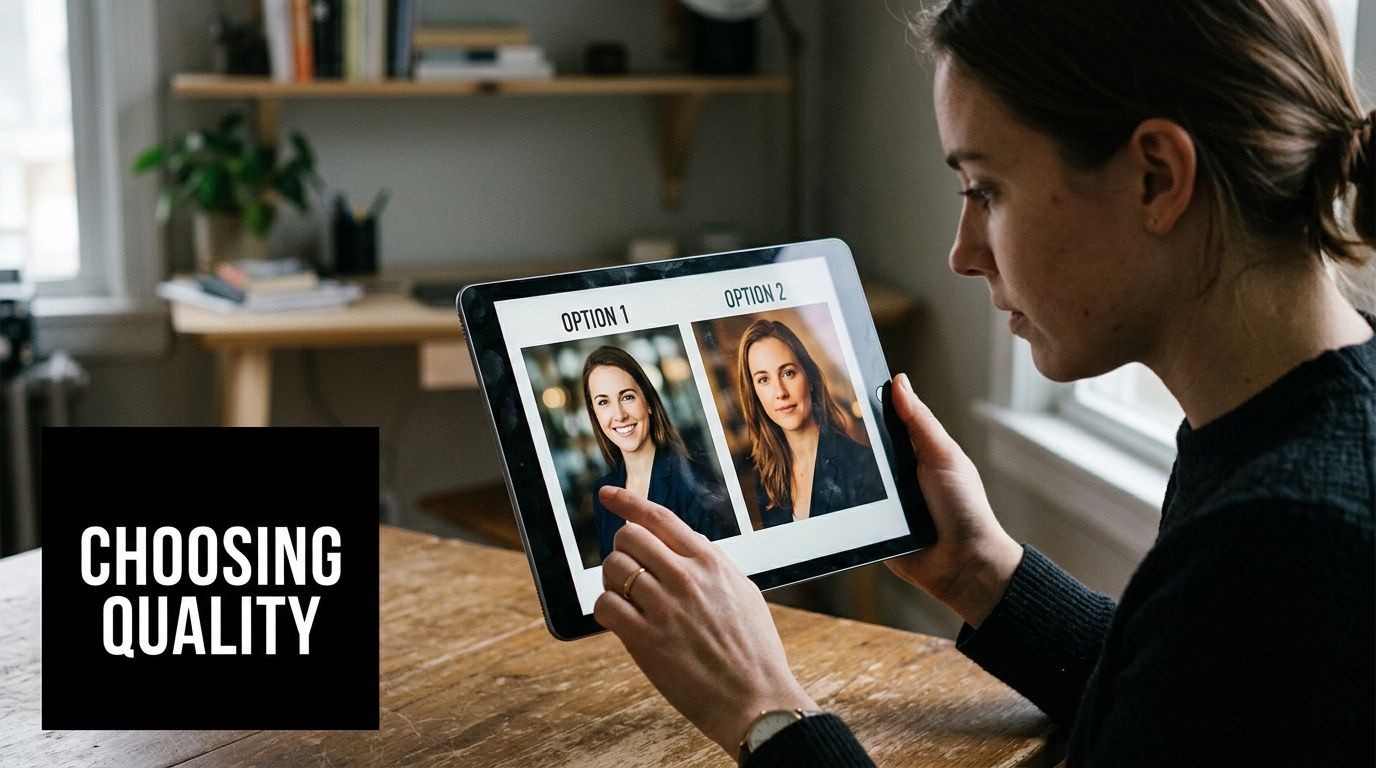
Let’s be honest: the single most important thing is how good the final pictures look. A top-tier app has to generate headshots that are not only realistic but also high-resolution and free of those weird AI quirks, like mangled hands or soulless eyes.
When you’re evaluating an app, zoom in on the details. The skin texture should look real, not like it's been airbrushed into oblivion. The lighting should be flattering and look like it came from a real light source, and the eyes should be sharp and full of life. If the results look overly smooth or have a cartoony vibe, the AI just isn't ready for prime time.
Demand Plenty of Style and Customization Options
Your professional brand isn't a one-size-fits-all template, and your headshot shouldn't be either. A quality AI headshot app gets this, offering a huge library of styles, outfits, and backgrounds so you can create the perfect look for any situation.
You might need a formal, corporate headshot for your company website but a more creative, approachable one for your social media. The right app makes this easy.
When choosing an app, it's helpful to compare the core features that directly impact your final headshots. This table breaks down what you should be looking for.
Essential AI Headshot App Feature Comparison
| Feature | What to Look For | Why It Matters for Your Headshot |
|---|---|---|
| Image Realism | High-resolution output, natural skin textures, and no AI artifacts (e.g., distorted hands, odd facial features). | This is non-negotiable. Your headshot must look like a real, professionally taken photo to build credibility and trust. |
| Style & Wardrobe Variety | A broad selection of outfits (suits, blazers, casual), backgrounds (studio, office, outdoor), and expressions (confident, friendly). | Versatility lets you create a suite of images for LinkedIn, your website, speaker bios, and more, ensuring brand consistency. |
| Ease of Use | An intuitive interface, a simple photo upload process, and clear instructions for selecting styles and generating images. | A complicated process wastes time. The best tools are straightforward, letting you get from upload to final image in minutes. |
| Turnaround Time | How long does it take to get your results? Look for apps that deliver your headshots in under an hour, not days. | Speed is crucial when you need a new headshot for an urgent opportunity, like a last-minute press feature or conference. |
| Pricing Model | Clear, upfront pricing. One-time packages with credits that don't expire are often better than confusing subscription models. | Transparent pricing helps you budget effectively and avoid surprise recurring charges for a service you may only use periodically. |
Ultimately, a wider range of high-quality options ensures you'll get a complete set of on-brand images you can use with confidence across all your professional platforms.
Choosing an app is about more than just technology; it's about finding a reliable partner for your personal branding. Focus on providers that prioritize realism, variety, and a straightforward user experience to get the best return on your investment.
A Simple Process and Fair Pricing
Finally, a good app should just be easy to use. The whole point is to save time and hassle, so the process of uploading your selfies, picking styles, and getting your photos should be quick and intuitive. The best platforms, like FlowHeadshots, can turn your photos around in just a few minutes.
Clear, honest pricing is just as important. Be wary of apps that lock you into confusing subscriptions or use credit systems where your credits expire. The best services offer simple, one-time packages with credits that never expire. This gives you the freedom to create new headshots whenever you need them without being tied to a recurring bill.
A Step-by-Step Guide to Getting It Right
The secret to getting amazing results from an AI headshots app isn't in the app itself—it's in the photos you feed it. Think of it like giving a portrait artist reference photos. If you give them a handful of blurry, poorly lit selfies, you can't expect a masterpiece. But if you give them clear, varied shots, they have everything they need to create something that truly captures you.
Your goal is to give the AI a complete picture of your face from all angles and in different moods. Variety is everything. Don't just upload ten photos from the same day with the same smile. That's the fastest way to get generic, plasticky-looking results. A little bit of prep work here goes a very long way.
A solid set of source photos is the single most important factor for getting professional headshots you'll actually want to use.
Selecting Your Source Images
First things first, let's pick the right photos. This isn't about finding your most polished, "Instagram-ready" pictures. It's about giving the AI clean, honest data to work with.
Here’s a quick checklist for gathering the perfect set of images:
- Switch Up the Angles: You need to show the AI the whole story. Include photos looking straight at the camera, three-quarter views, and even a few side profiles. This helps it understand the actual 3D structure of your face.
- Show Some Emotion (or Don't!): Mix it up! Provide some photos with a big, toothy grin, some with a closed-mouth smile, and some with a more neutral or serious expression. This gives the generator a full range to pull from.
- Find Good Light: Natural light is your best friend. Stand near a window and take a few shots. Avoid harsh overhead lighting that creates weird shadows, and definitely skip dark, grainy photos from a night out.
- Keep Your Face Clear: Ditch the sunglasses, hats, or anything that covers up your face. You also want to avoid pictures where your hair is casting a heavy shadow over your eyes.
Think of it this way: the AI is learning your face from scratch. The more clear, well-lit, and varied examples you provide, the better it can generate a new image that looks just like you on your best day. A few minutes spent on this step will save you a ton of frustration later.
Choosing Styles That Match Your Brand
Once your photos are in the system, the fun part starts. A good AI headshots app like FlowHeadshots will present you with a whole menu of styles, and this is where you can really steer the outcome.
Before you click "generate," take a second to think about what you want this headshot to say about you. Are you a startup founder who needs to look approachable yet professional? Or are you a lawyer who needs a classic, authoritative portrait?
Here are a few ways to think about it:
- For a Corporate Vibe: Look for styles described with words like "professional," "boardroom," or "business attire." These will usually generate images with classic studio lighting against a clean backdrop.
- For a Creative or Casual Look: You might want to try styles like "natural light," "outdoor," or "cafe setting." These create warmer, more relaxed headshots that are perfect for a personal brand, a speaker bio, or a modern LinkedIn profile.
- For an All-Purpose Headshot: When in doubt, you can't go wrong with the basics. Stick to simple, clean backgrounds like "studio white" or "gray backdrop." These are incredibly versatile and work for almost any professional use.
By being intentional with both the photos you upload and the styles you select, you're not just rolling the dice—you're directing the final result. This ensures you end up with headshots that don't just look good, but also project the exact image you want.
Comparing AI Headshots and Traditional Photoshoots
So, can an AI headshots app really stand in for a session with a professional photographer? It's a question I hear all the time. The truth is, it’s not about one being better than the other—it's about finding the right tool for your specific goals, budget, and timeline.
A traditional photoshoot offers a classic, hands-on experience. There's a real value in having a skilled photographer guide you through poses, find your best angles, and perfect the lighting in real-time. That human touch is fantastic if you need very specific art direction or just feel more comfortable with face-to-face feedback.
But where traditional photoshoots have their strengths, AI headshots are a game-changer for a different set of reasons. They're built for speed, convenience, and accessibility. You can skip the scheduling headaches and studio travel, generating hundreds of professional-looking options right from your living room in less than an hour, all for a fraction of the price.
AI Headshots vs. Traditional Photoshoots
To really understand the difference, it helps to see a direct comparison. Each option has clear trade-offs when it comes to cost, time commitment, and the variety of results you get.
| Factor | AI Headshots App | Traditional Photoshoot |
|---|---|---|
| Cost | Typically $20 to $50 for a full gallery. | Can range from $250 to over $1,500. |
| Time Investment | Results delivered in minutes or hours. | Requires scheduling, travel, and a multi-day (or week) turnaround. |
| Variety & Control | Generates hundreds of styles, outfits, and backgrounds. | Delivers a curated, limited set of final edited images. |
As you can see, the choice often comes down to what you value most. Are you looking for a highly directed, in-person experience, or do you need speed, affordability, and a massive library of options to choose from?
The best AI apps close the quality gap by focusing on three core elements.
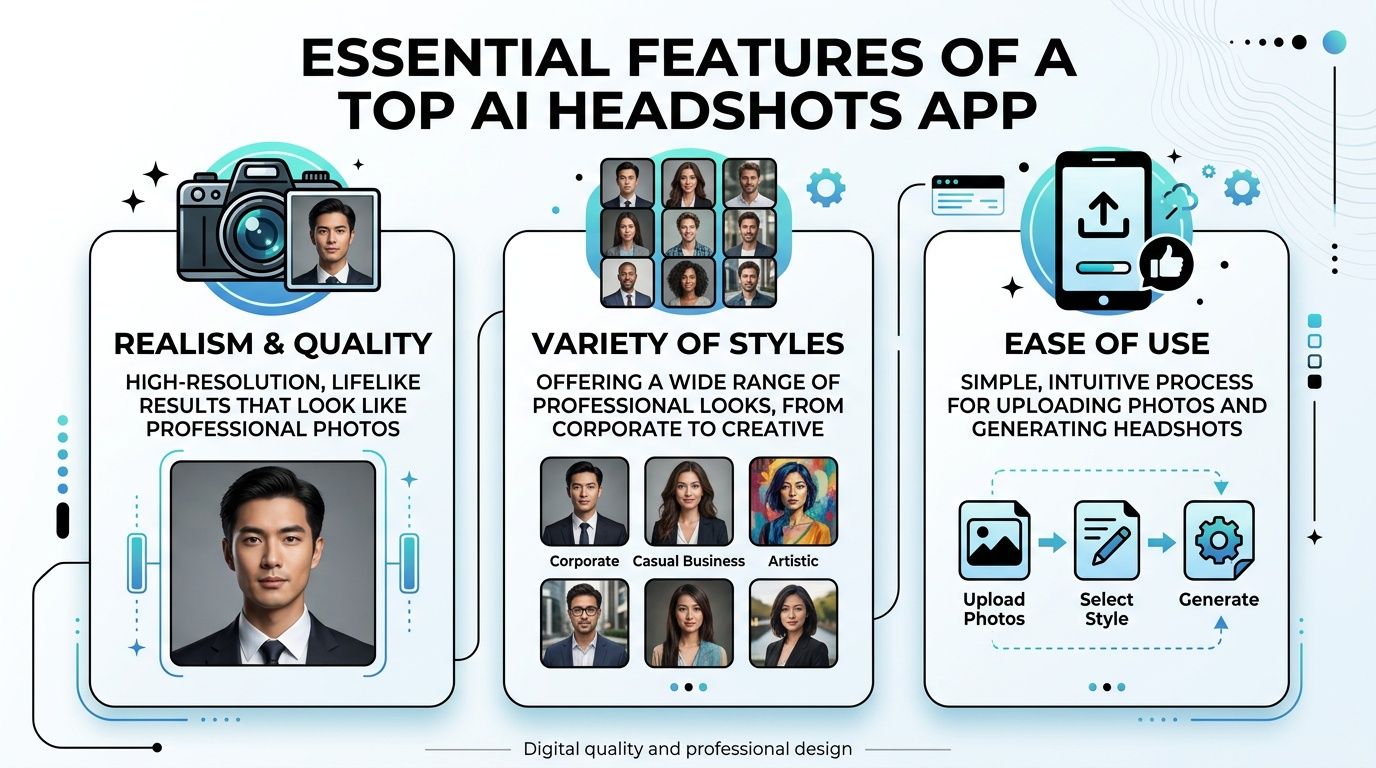
This focus on photorealism, endless style options, and a simple process is what makes AI a compelling alternative to a traditional studio session.
Ultimately, AI has made professional branding more accessible than ever before. While a photographer provides a premium, personalized service, an AI headshots app puts studio-quality images within everyone's reach—instantly and affordably.
For a deeper dive, see our guide on how AI headshots compare to a photographer. In the end, it’s all about what you prioritize: personalized direction or the creative freedom that comes with speed and endless variety.
Are AI Headshot Apps Safe? Your Privacy Checklist
Let's be honest: uploading a bunch of your personal photos to an app can feel a little unnerving. You're essentially handing over your face, and it's smart to ask what happens next. The good news is that reputable AI headshot apps are designed with security in mind, but you still need to know what to look for.
Think of an app’s privacy policy as the company's promise to you. It's where they lay out, in plain English hopefully, how they handle your pictures. A trustworthy service will be completely upfront about who owns your photos, where they're stored, and what happens to them after your headshots are ready. If the policy is buried, vague, or confusing, that’s a huge red flag.
At the end of the day, you should always remain the sole owner of both your original photos and the new headshots.
What to Look for in a Privacy Policy
You don’t need a law degree to figure out if an app takes your privacy seriously. Just focus on a few key questions to make sure your data is being handled the right way.
- Data Ownership: Does the policy clearly state that you own your images, period? You should never have to sign away the rights to your own face.
- Deletion Protocols: How easy is it to delete your photos and the AI model trained on them? A good service puts you in control and lets you permanently erase your data from their servers.
- AI Training: Does the company use your photos to train its other AI products without asking you first? Your images should only be used to create your headshots, not to build their commercial models.
- Secure Infrastructure: Are your photos encrypted when you upload them and while they're stored? This is a basic security measure that protects your data from being intercepted or accessed.
A platform's commitment to privacy is a direct reflection of its respect for its users. If an app makes it difficult to find this information or provides unclear answers, it’s best to look elsewhere.
Your privacy is non-negotiable. Taking a few minutes to scan an app’s policies is the best way to use these incredible tools without worrying about your personal information. For a great example of a user-first policy, you can learn more about FlowHeadshots' commitment to privacy and data security. A quick check like this gives you the peace of mind to enjoy the process.
Common Questions About AI Headshots
When you're trying out an AI headshots app for the first time, it's normal to have a few questions. This technology is still new to most people, so let's walk through some of the most common things people ask.
The first question is always about realism: "Will it actually look like me?" We've all seen those weird AI images online, and nobody wants a professional photo that looks slightly off or artificial. Thankfully, the technology has come a long way. Top-tier tools like FlowHeadshots now produce photorealistic results that are often impossible to tell apart from a traditional studio photoshoot. The secret is feeding the AI good source material—clear, high-quality photos give it the data it needs to get your look just right.
Another thing people wonder about is how many photos to upload. Most services recommend somewhere between 10 and 20 photos, but what really matters is variety, not just the count. Think of it like giving a sketch artist multiple angles to work from. A mix of different expressions, backgrounds, and lighting helps the AI truly understand your facial structure.
Practical Uses and Limitations
So, once you have these great new headshots, where can you actually use them? A common point of confusion is whether they're official enough for documents like a passport.
The answer is a hard no. You cannot use AI-generated photos for government IDs like passports or driver's licenses. These require unaltered photos taken in person to meet strict legal standards.
That said, for nearly every other professional purpose, AI headshots are a fantastic fit. They are perfect for:
- LinkedIn Profiles: A polished portrait makes a killer first impression.
- Company Websites: Keep your team page looking consistent and professional.
- Resumes and Portfolios: Add that final touch of class to your applications.
- Social Media: Elevate your personal or professional brand online.
If you have more specific questions, you can always find more information in a detailed AI headshots FAQ. Getting these basics down will help you use these powerful new tools with confidence.
Ready to create a professional image that opens doors? Try FlowHeadshots and generate dozens of studio-quality portraits in minutes. Get started today at https://flowheadshots.app.
Enjoyed this article? Share it with your network.
Ready to get your AI headshots?
Professional photos in 60 seconds. No photoshoot required.
Get Started Free